Is an 8000Hz Polling Rate Worth It? The Truth About Ultra-Fast Gaming Keyboards
The race for the ultimate competitive edge in PC gaming has moved far beyond frame rates and monitor refresh cycles. Today, peripheral manufacturers are waging an absolute war over milliseconds. Step into any gaming store or browse hardware forums, and you will notice a massive buzz surrounding 8000Hz polling rate keyboards.
Brands advertise staggering claims like “0.125ms response intervals” to convince you that your current setup is lagging behind. But does jumping from the industry-standard 1000Hz to 8000Hz actually make you a better player, or is it just clever marketing snake oil?
Let’s break down the actual engineering, math, and real-world performance data behind ultra-high polling rates to see if your setup needs an upgrade.
What Exactly is Keyboard Polling Rate?
To understand if 8000Hz matters, you have to understand what it actually does.
The polling rate, measured in Hertz (Hz), dictates how many times per second your keyboard communicates with your PC’s USB controller.
- 125Hz (Office Standard): The keyboard talks to the PC 125 times a second, creating an 8ms transmission gap.
- 1000Hz (Gaming Standard): The keyboard checks in 1,000 times a second, slashing that delay down to a mere 1ms.
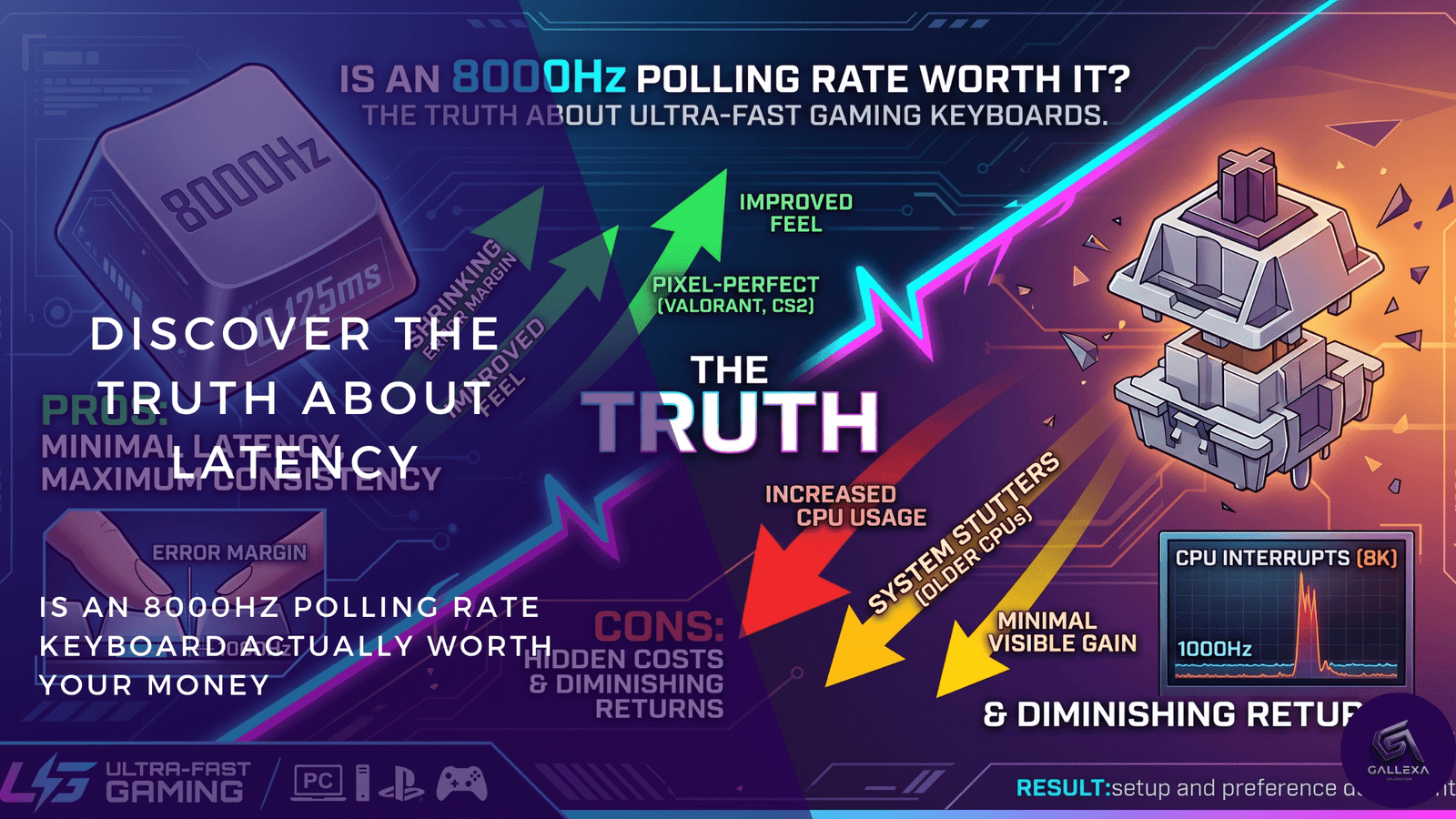
- 8000Hz (The Ultra-Fast Frontier): The keyboard blasts information to your PC 8,000 times a second. Mathematically, this shrinks the time window between reports to just 0.125ms.
On paper, an 8x increase in communication frequency sounds like an obvious win. However, transmission speed is only one tiny link in a much longer hardware chain.
The Reality Check: Polling Rate Is Not Total Latency
A common misconception among gamers is that an 8000Hz keyboard ensures a 0.125ms end-to-end response time. That is a myth. Total input lag is a multi-step sequence, and the USB transmission phase is only the final handoff.
[Key Press] ➔ [Switch Actuation] ➔ [Firmware Processing / Debounce] ➔ [USB Polling Handoff (0.125ms)] ➔ [CPU Processing] ➔ [Game Engine Frame Render]
If a keyboard has an 8000Hz transmission rate but runs on slow internal firmware or struggles with high mechanical debounce delay (the brief pause required to prevent a metal switch contact from registering double clicks), the overall latency could still sit around 15ms.
Enter the True Dynamic Duo: 8000Hz + Hall Effect
This is why an 8000Hz spec on a traditional, standard mechanical switch doesn’t offer much practical benefit.
Where the technology actually comes alive is when it is combined with Hall Effect (magnetic) switches. Because magnetic switches use sensors to track exact distance rather than physical metal pieces clapping together, they have zero debounce delay. Pairing an ultra-fast magnetic sensor with optimized firmware and an 8000Hz controller is the only way to harvest the true benefits of ultra-low latency.
The Hidden Cost: How 8000Hz Impacts System Performance
Before jumping into your peripheral software and cranking the slider up to 8000Hz, you need to consider your processor.
1000Hz Polling = 1,000 CPU interrupts per second
8000Hz Polling = 8,000 CPU interrupts per second
Every single time your keyboard polls, it sends an interrupt request to your operating system. At 8000Hz, your CPU is being hammered with 8,000 updates every second. If you are also running an 8000Hz gaming mouse alongside it, your USB controller is flooding your processor with data.
On lower-end or mid-range CPUs, processing this non-stop stream of input data can actually hurt your game’s smoothness. Many users reporting micro-stutters and drops in their 1% low frame rates trace the issue directly back to ultra-high peripheral polling clogging their processor cycles while it is actively trying to render heavy game engines.
Quick Reference: Polling Rate Comparison
| Polling Rate | Intermittent Delay | System Resource Tax | Best Used For |
| 125 Hz | 8.0 ms | Near Zero | Casual web browsing and office typing |
| 500 Hz | 2.0 ms | Negligible | Budget or casual gaming setups |
| 1000 Hz | 1.0 ms | Very Low | The universal sweet spot for ranked & competitive play |
| 4000 Hz | 0.25 ms | Moderate | Enthusiast setups with modern mid-tier processors |
| 8000 Hz | 0.125 ms | High | High-end esports rigs (360Hz+ monitors, top-tier CPUs) |
Is It Worth It? Who Actually Benefits From 8000Hz?
For the vast majority of players, a stable 1000Hz keyboard with optimized, fast switches remains completely sufficient. The difference between 1ms and 0.125ms represents less than a single millisecond of savings—a window far smaller than human perception limits.
However, 8000Hz is not purely a gimmick. It holds genuine value for two distinct groups of players:
- Top-Tier Esports Competitors: If you are playing games like Valorant, Counter-Strike 2, or Apex Legends on a 360Hz or 540Hz monitor backed by a premium CPU, the frame windows are so thin that aligning your keystrokes perfectly with the screen refresh cycle can reduce input desync.
- Rhythm Game Enthusiasts: Games like osu! or geometry dash rely heavily on micro-timing. Players in these communities often notice tighter accuracy scores because the 8000Hz window catches the exact split-second an input occurs during rapid-fire typing bursts.
Conclusion: Look Beyond the Numbers
If you are shopping for a new keyboard, do not let an “8000Hz” sticker blind you to the rest of the build quality. A well-tuned 1000Hz keyboard featuring optimized firmware and premium switches will consistently outperform a poorly made, budget 8000Hz model. Focus on layout, switch ergonomics, and features like Rapid Trigger before worrying about raw transmission cycles.
What keyboard polling rate are you running on your desk right now? Drop a comment down below and let us know if you can feel the speed difference!